Stop chasing approvals.
Your team runs the inspection from a phone or tablet, and the customer approves the extra work from a link — no phone tag. Work keeps moving while your DMS keeps billing.
- Works alongside your DMS
- EU-hosted
- You own your data
No DMS? Garaz runs as your whole front-of-house.
One app across phone, tablet & desktop — nothing to install, nothing to sync.
Your DMS was built for billing — not for your customers.
It tracks the invoice. It doesn't send the inspection, get the approval, or keep the customer in the loop. So that work lands on your advisors — one phone call at a time.
Advisors stuck on the phone
Every extra needs a callback. Approvals stall. Cars sit on the lift.
Customers in the dark
No word until they call asking 'is it ready yet?'
No record of the 'yes'
Verbal approvals — no timestamp, no trail when a charge is disputed.
One link. Approved from the customer's phone.
The moment you find extra work, the clock starts. Garaz keeps it short.
Inspect
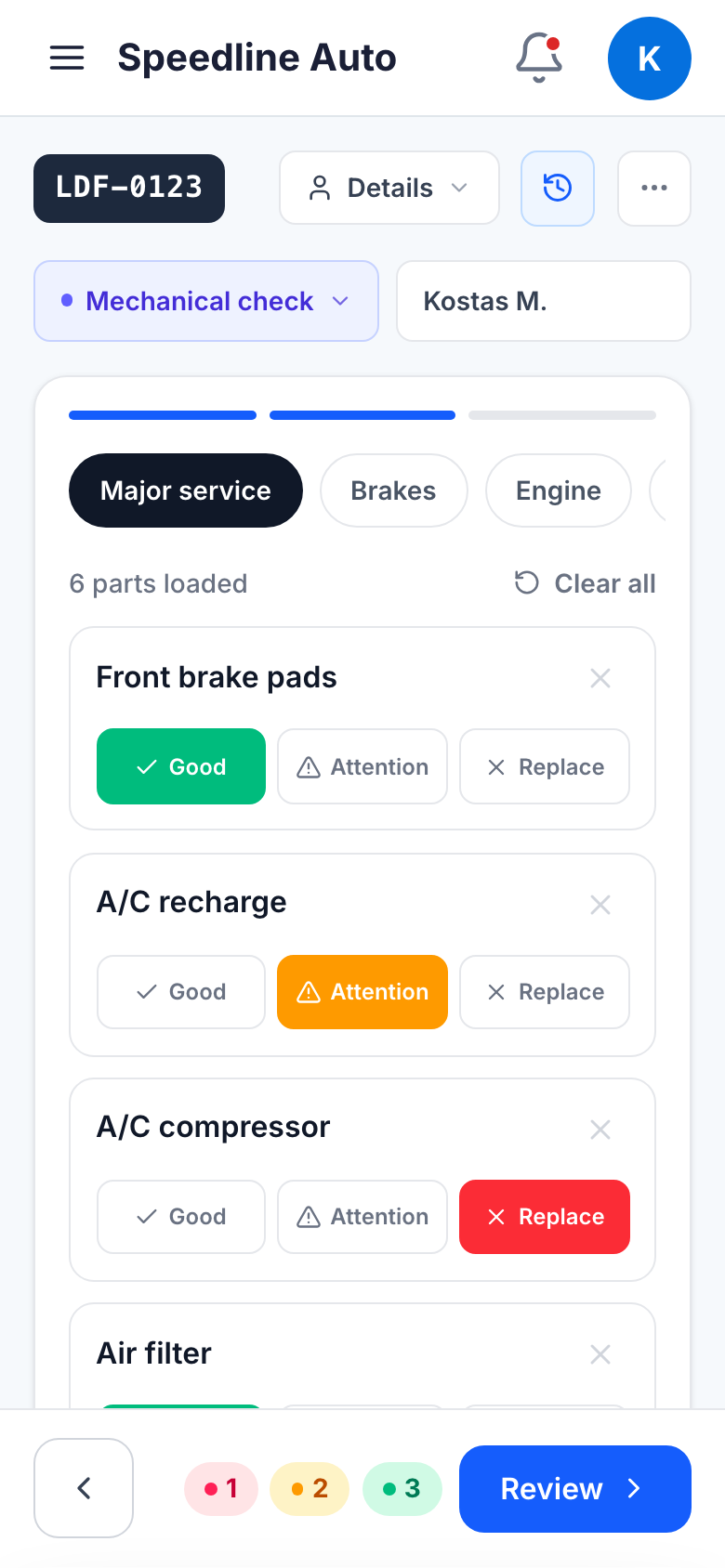
A technician logs findings on a mobile or tablet — the part, a note, and a severity tag on each item.
Send the link
One private link goes out by SMS, Viber or email.
Customer approves
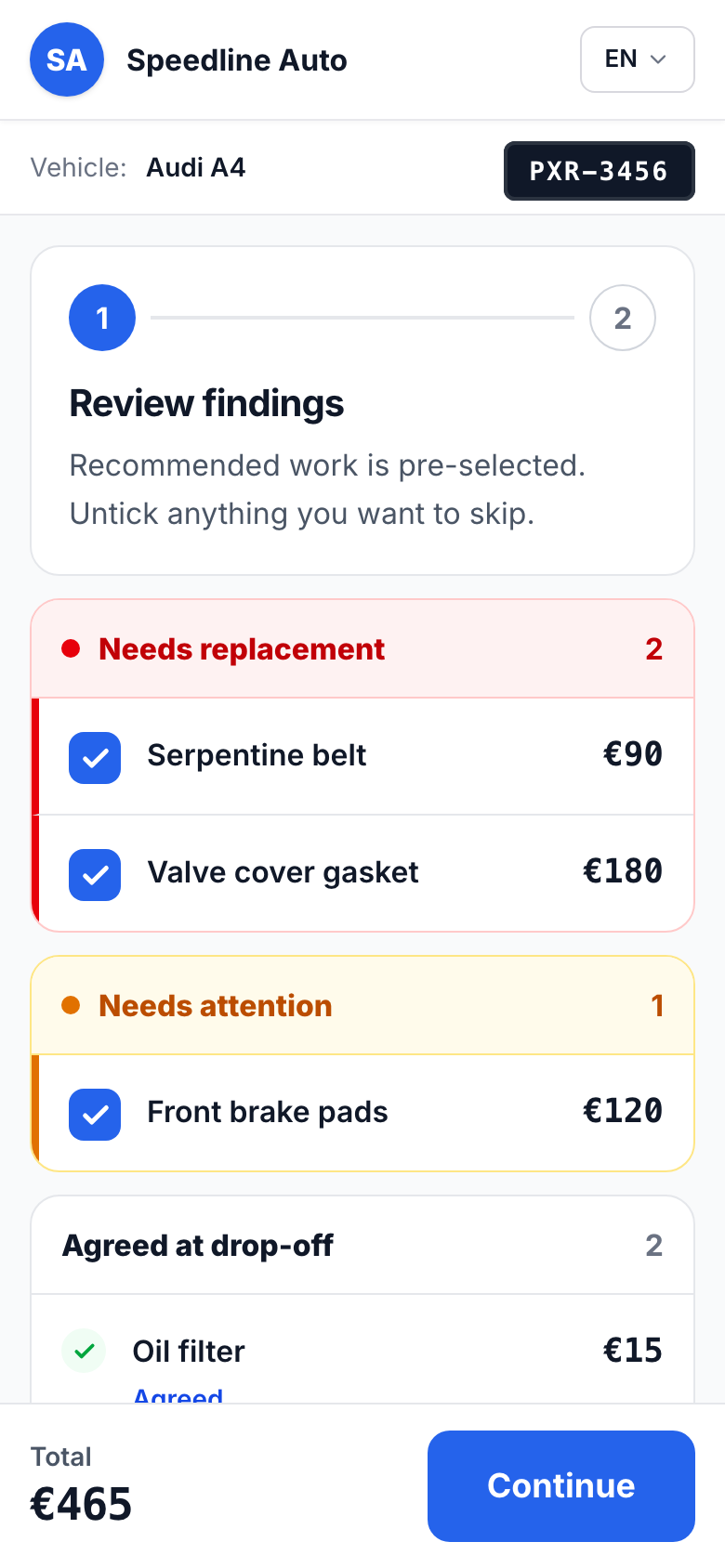
They review each item and tap approve. Work proceeds. Every approval timestamped.
From intake to handover, on one board.
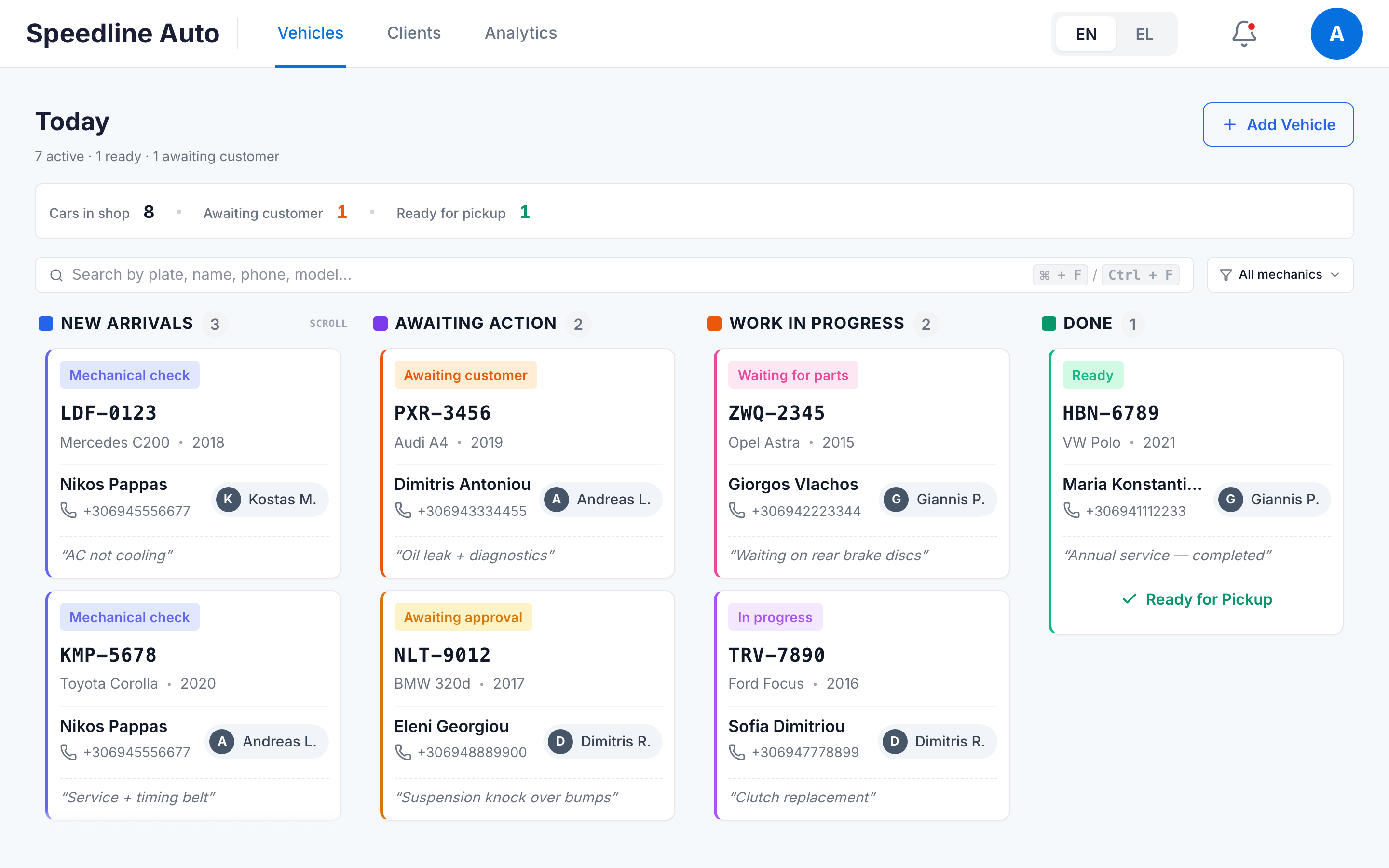
Every car, every stage, visible to your whole service team — on the shop PC, a tablet in the bay, or a phone in a pocket.
- STEP 1
Intake
Vehicle, customer, and pre-agreed work logged in under a minute.
- STEP 2
Inspection
Technician records findings from any device.
- STEP 3
Approval
Customer approves the extras from the link.
- STEP 4
In progress
Parts tracked, status updated, customer kept in the loop.
- STEP 5
Ready
Marked ready; the customer gets the pickup message automatically.
The layer your DMS is missing.
Everything the customer touches — and everything your team needs to move fast.
Tap-to-approve link
Customers approve extras from their phone. No callbacks, more yeses.
Digital inspections + full vehicle history
Findings with parts, notes, and severity — backed by every past visit for that plate.
Live status + SMS/Viber/email
Automatic updates on every change, plus a live page the customer can open anytime.
Kanban board
Every job, every stage, one screen for the whole service team — desk PC, tablet, or phone.
White-label
Your logo, your colors. Customers see your dealership — not our software.
Audit trail
Every status, note, and part edit logged — who did it and when.
See the actual product.
Not mockups — the real thing.
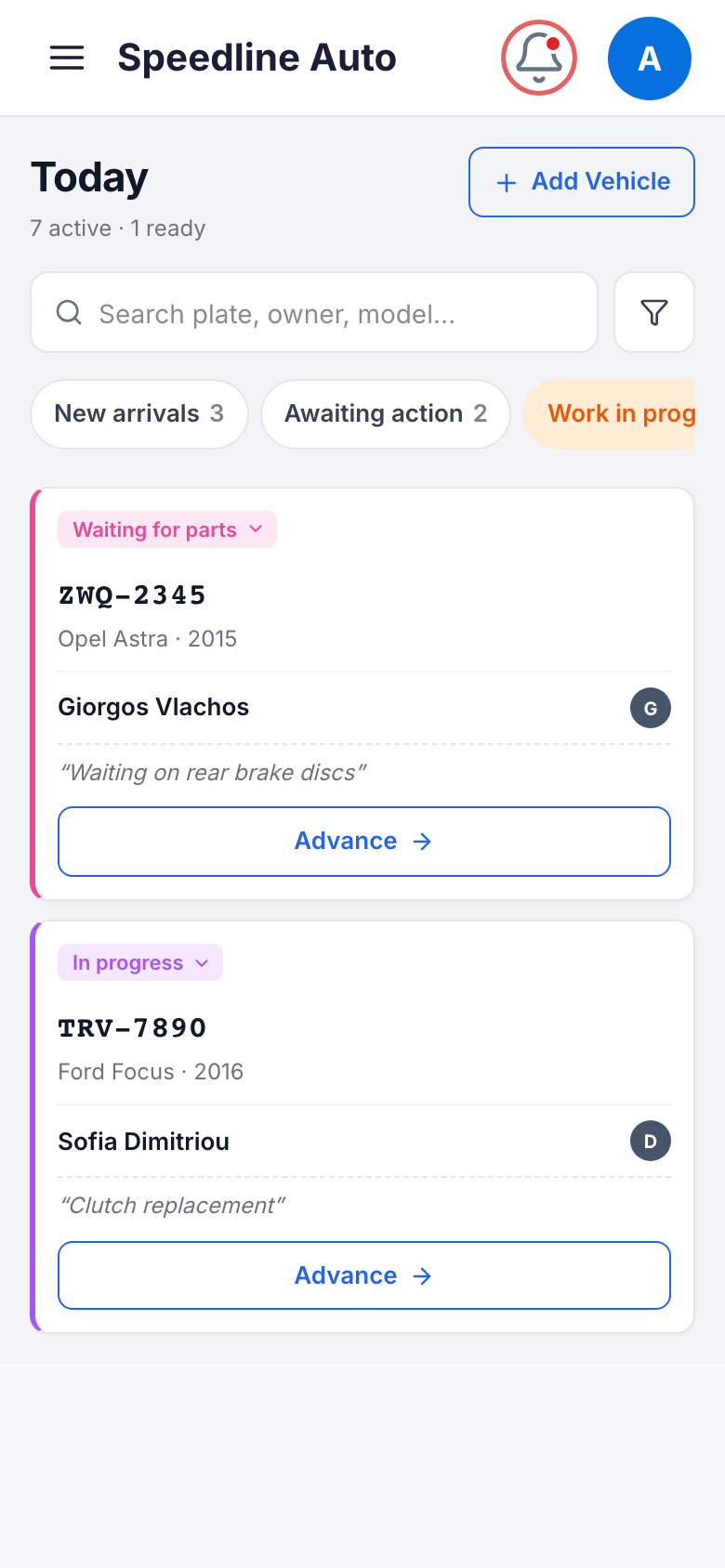
Every car, every stage, at a glance — desktop, tablet, or phone.
The board your whole team works from
Drag a card, and the status — and the customer — move with it. Advisors see what's waiting on an approval; technicians see what's cleared to start. And it isn't desk-bound: the same board opens on any phone or tablet, so you can check the floor from anywhere.
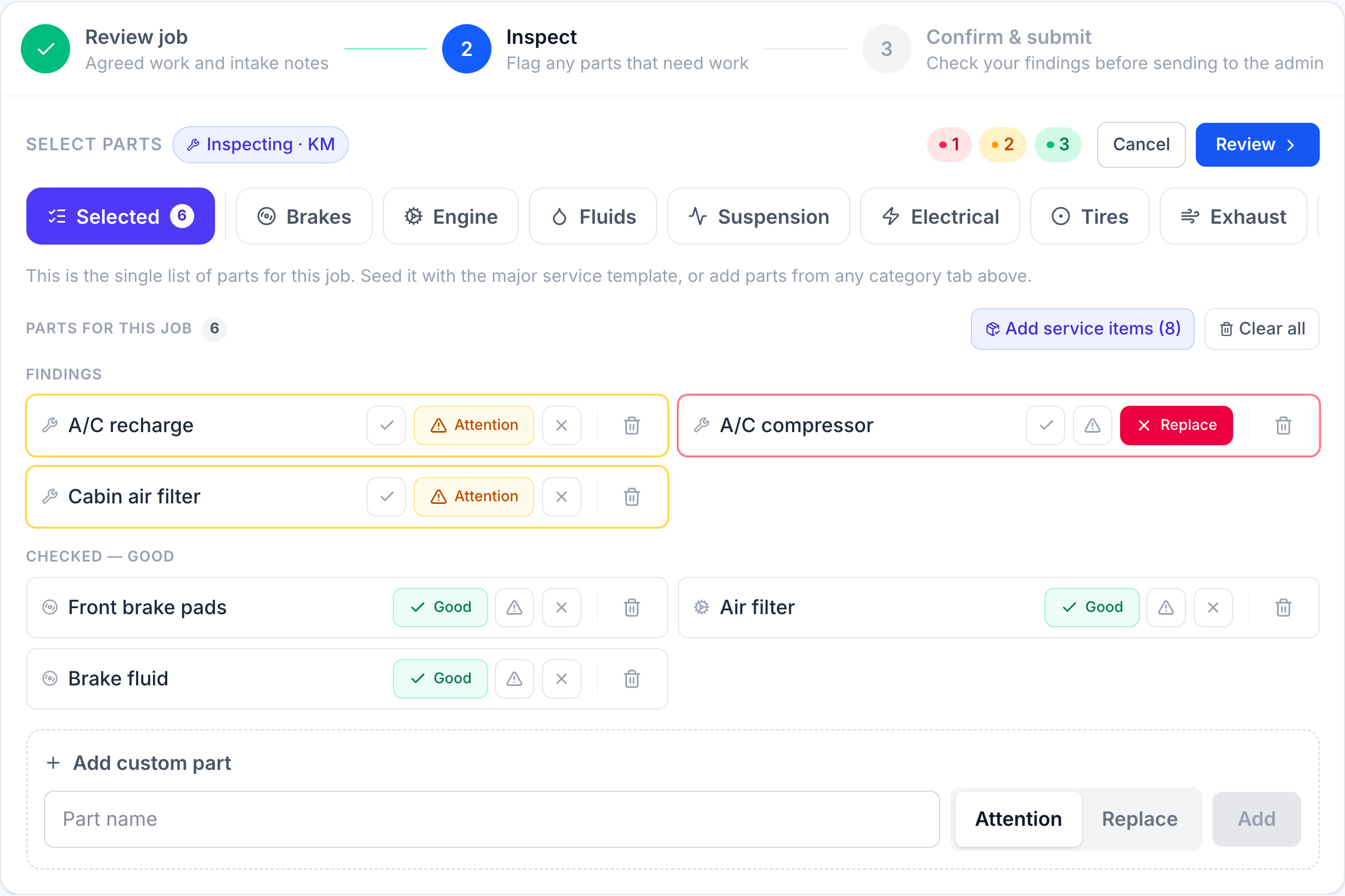
How your team logs findings.
Inspections that write themselves into the approval
Tap a condition, add a note, attach the part. The moment the inspection is done, the customer link is ready to send — no retyping.
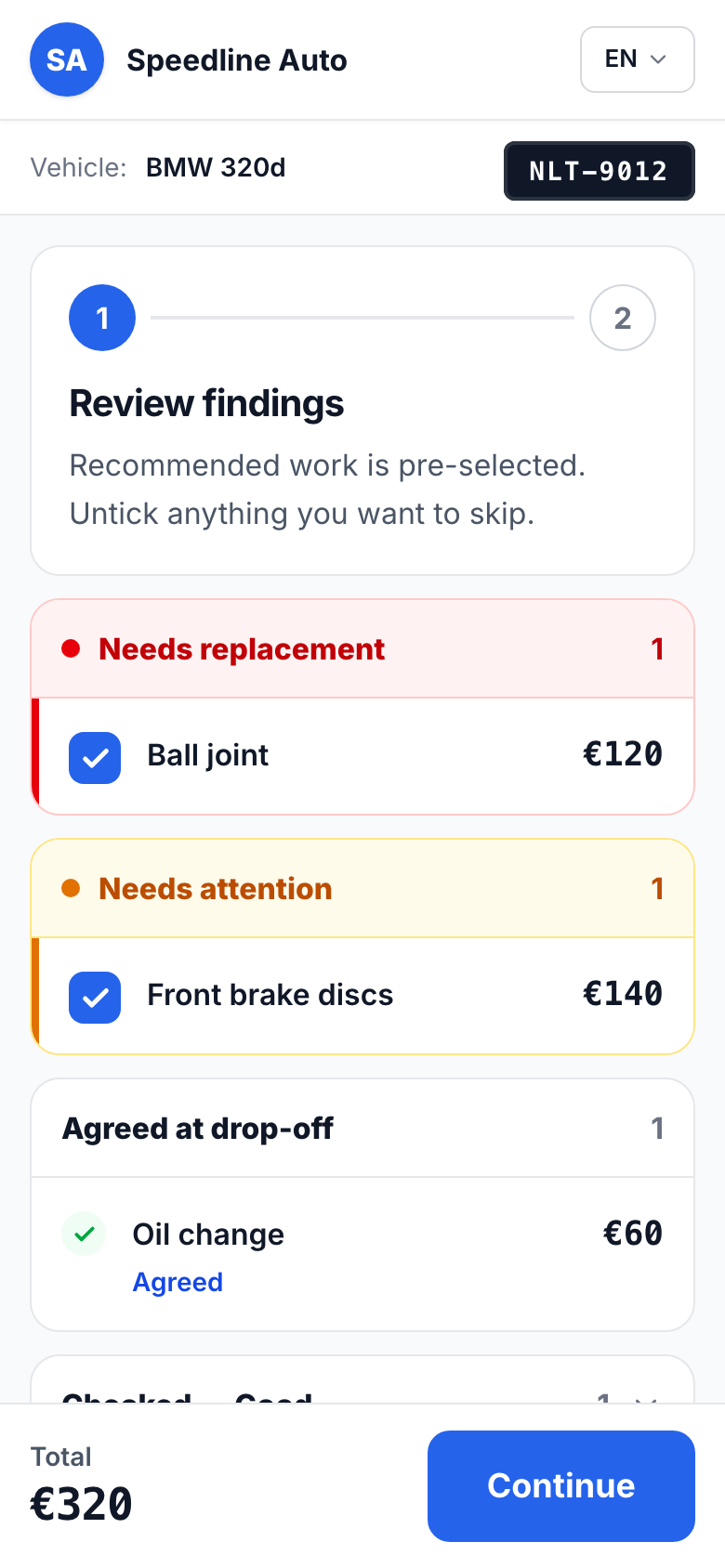
What your customer sees.
Branded as your dealership, end to end
The link opens in the customer's browser — no app to install. Your logo, your colors, your name on every update.
Built to sit inside a dealership.
Works alongside your DMS — or as your whole system
No rip-and-replace for dealerships; no DMS required for smaller shops.
EU-hosted
Your data stays in Europe.
GDPR-aligned
Privacy by design.
You own your data
We never sell or share it.
No lock-in
Export and leave anytime.
Pricing that scales with your team.
Plans differ by how many mechanics you have — the workflow below is on every one.
Dealership service centers and multi-location groups — runs alongside your DMS.
Book a demoAll plans include:
- Kanban pipeline
- Digital inspections
- Customer approval link
- SMS + Viber + email notifications
- White-label branding
- Vehicle history
- Audit trail
Team and Dealership also include reporting & analytics.
Frequently asked questions
Everything a service manager asks.
Does it replace my DMS?
No — it complements it. Your DMS handles billing, parts, and warranty; Garaz handles inspections, customer approvals, status updates, and the shop-floor board.
Do I need a DMS to use Garaz?
No. Dealerships run it alongside their DMS; smaller shops with no DMS run it as their whole system — inspections, approvals, notifications, and the board, no other software needed.
Does it work on every device?
Yes. Garaz runs in the browser on tablets, phones, and PCs — no installs. Technicians typically use a phone or tablet in the bay; advisors use a PC at the desk; customers only need their phone.
Can I manage multiple locations?
Each shop runs as its own account today, with its own board and staff. Central management across locations is on the roadmap — tell us how your group is set up and we'll walk you through the options.
How many mechanics does it support?
From a one-person shop to a full dealership service center. Solo covers 1–2 mechanics, Team 3–4, and Dealership 5 or more. Reporting and analytics come with Team and above.
What languages does it support?
English and Greek, including bilingual customer notifications — each customer gets messages in their preferred language.
Who are the users and their roles?
Two roles: Admin and Mechanic. Admins manage the shop, pricing, and customer communication; mechanics log inspections and update job status. Customers never need an account — just the link.
What's the flow, intake to handover?
Intake → Inspection → Approval → In progress → Ready. The car is logged in under a minute, the technician records findings, the customer approves extras from the link, work proceeds with live status updates, and the pickup message goes out automatically when the car is marked ready.
Do I own my data?
Yes. Your customer and vehicle data is yours — we never sell or share it, it's hosted in the EU, and you can export it and leave anytime.
How long does setup take?
Most shops are live the same day. Add your team, upload your logo, set your notification templates, and take the first car through the board. We help with the first setup on the demo call.
What support do you offer?
Email and phone support in English and Greek, with onboarding help for your team. Dealership plans include a dedicated contact.
See it on your own workflow.
Book a 20-minute demo — we'll walk the approval flow end to end. No pressure.